2.3 The ‘tidy’ data format
The “tidy” data format is one implementation of a tabular, two-dimensional structured data format that has quickly gained popularity among statisticians and data scientists since it was defined in a 2014 paper (Wickham 2014). The “tidy” data format plugs into R’s tidyverse framework, which enables powerful and user-friendly data management, processing, and analysis by combining simple tools to solve complex, multi-step problems (Ross, Wickham, and Robinson 2017; Silge and Robinson 2016; Wickham 2016; Wickham and Grolemund 2016). Since the tidyverse tools are simple and share a common interface, they are easier to learn, use, and combine than tools created in the traditional base R framework (Ross, Wickham, and Robinson 2017; Lowndes et al. 2017; reviewer2017review?; McNamara 2016). This tidyverse framework is quickly becoming the standard taught in introductory R courses and books (Hicks and Irizarry 2017; B. Baumer 2015; Kaplan 2018; Stander and Dalla Valle 2017; reviewer2017review?; McNamara 2016), ensuring ample training resources for researchers new to programming, including books (e.g., (B. S. Baumer, Kaplan, and Horton 2017; Irizarry and Love 2016; Wickham and Grolemund 2016)), massive open online courses (MOOCs), on-site university courses (B. Baumer 2015; Kaplan 2018; Stander and Dalla Valle 2017), and Software Carpentry workshops (Wilson 2014; Pawlik et al. 2017). Further, tools that extend the tidyverse have been created to enable high-quality data analysis and visualization in several domains, including text mining (Silge and Robinson 2017), microbiome studies (McMurdie and Holmes 2013), natural language processing (Arnold 2017), network analysis (Tyner, Briatte, and Hofmann 2017), ecology (Hsieh, Ma, and Chao 2016), and genomics (Yin, Cook, and Lawrence 2012). In this section, we will explain what characteristics determine if a dataset is “tidy” and how use of the “tidy” implementation of a structure data format can improve the ease and efficiency of “Team Science.”
Objectives. After this module, the trainee will be able to:
- List characteristics defining the “tidy” structured data format
- Explain the difference between the a structured data format (general concept) and the ‘tidy’ data format (one popular implementation)
In the previous module, we explained the benefits of saving data in a structured format, and in particular using a two-dimensional format saved to a plain text file when possible. In this section, we’ll talk about the “tidy text” format—a set of principles to use when structuring two-dimensional tabular data. These principles cover some basic rules for ordering the data, and the resulting datasets can be very easily worked with, including to further clean, model, and visualize the data, and to integrate the data with other datasets, using a series of open-source tools on the R platform called the “tidyverse.” These characteristics mean that, if you are planning to use a standardized data format for recording experimental data in your research group, you may want to consider creating one that adheres to the “tidy data” rules.
We’ll start by describing what rules a dataset’s format must follow for it to be “tidy,” and try to clarify how you can set up your data recording to follow these rules. In a later part of this module, we’ll talk more about the tidyverse tools that you can use with this data, as well as give some resources for finding out more about the tidyverse and how to use its tools.
Since a key advantage of the “tidy data” format is that it works so well with R’s “tidyverse” tools, we’ll also talk a bit in this section about the use of scripting languages like R, and how using them to analyze and visualize the data you collect can improve the overall reproducibility of your research.
2.3.1 What makes data “tidy?”
The “tidy” data format describes one way to structure tabular data. The name follows from the focus of this data format and its associated set of tools—the “tidyverse”—on preparing and cleaning (“tidying”) data, in contrast to sets of tools more focused on other steps, like data analysis (Wickham 2014). The word “tidy” is not meant to apply that other formats are “dirty,” or that they include data that is incorrect or subpar. In fact, the same set of datapoints could be saved in a file in a way that is either “tidy” (in the sense of (Wickham 2014)) or untidy, depending only on how the data are organized across columns and rows.
“The development of tidy data has been driven by my experience from working with real-world datasets. With few, if any, constraints on their organization, such datasets are often constructed in bizarre ways. I have spent countless hours struggling to get such datasets organized in a way that makes data analysis possible, let alone easy.” (Wickham 2014)
The rules for making data “tidy” are pretty simple, and they are defined in detail, and with extended examples, in the journal article that originally defined the data format (Wickham 2014). Here, we’ll go through those rules, with the hope that you’ll be able to understand what makes a dataset follow the “tidy” data format. If so, you’ll be able to set up your data recording template to follow this template, and you’ll be able to tell if other data you get is in this format and, if it’s not, restructure it so that it does. In the next part of this module, we’ll explain why it’s so useful to have your data in this format.
Tidy data, first, must be in a tabular (i.e., two-dimensional, with columns and rows, and with all rows and columns of the same length—nothing “ragged”). If you recorded data in a spreadsheet using a very basic strategy of saving a single table per spreadsheet, with the first row giving the column names (as described in the previous module), then your data will be in a tabular format. It should not be saved in a hierarchical structure, like XML (although there are now tools for converting data from XML to a “tidy” format, so you may still be able to take advantage of the tidyverse even if you must use XML for your data recording). In general, if your recorded data looks “boxy,” it’s probably in a two-dimensional tabular format.
There are some additional criteria for the “tidy” data format, though, and so not every structured, tabular dataset is in a “tidy” format. The first of these rules are that each row of a “tidy” dataset records the values for a single observation, and that each column provides characteristics or measurements of a certain type, in the order of the observations given by the rows (Wickham 2014). For example, if you have collected data from several experimental samples and plated each sample at several dilutions to count viable bacteria, then you could record the results using one row per dilution—specifying each dilution for each sample as your level of observation for the data—to save the data in a tidy format.
“Most statistical datasets are rectangular tables made up of rows and columns … [but] there are many ways to structure the same underlying data. … Real datasets can, and often do, violate the three precepts of tidy data in almost every way imaginable.” (Wickham 2014)
To be able to decide if your data is tidy, then, you need to know what forms a single observation in the data you’re collecting. The unit of observation of a dataset is the unit at which you take measurements (Sedgwick 2014). This idea is different than the unit of analysis, which is the unit that you’re focusing on in your study hypotheses and conclusions (this is sometimes also called the “sampling unit” or “unit of investigation”) (Altman and Bland 1997). In some cases, these two might be equivalent (the same unit is both the unit of observation and the unit of measurement), but often they are not (Sedgwick 2014). Again, in the example of plating samples at several dilutions each, the unit of observation for the resulting data might be at the level of each dilution for each sample, where the unit of analysis that you are ultimately interested in is simply each sample.
“The unit of observation and unit of analysis are often confused. The unit of observation, sometimes referred to as the unit of measurement, is defined statistically as the ‘who’ or ‘what’ for which data are measured or collected. The unit of analysis is defined statistically as the ‘who’ or ‘what’ for which information is analysed and conclusions are made.” (Sedgwick 2014)
As another example, say you are testing how the immune system of mice responds to a certain drug over time. You may have several replicates of mice measured at several time points, and those mice might be in separate groups (for example, infected with a disease versus uninfected). In this case, if a separate mouse (replicate) is used to collect each observation, and a mouse is never measured twice (i.e., at different time points, or for a different infection status), then the unit of measurement is the mouse. There should be one and only one row in your dataset for each mouse, and that row should include two types of information: first, information about the unit being measured (e.g., the time point, whether the mouse was infected, and a unique mouse identifier) and, second, the results of that measurement (e.g., the weight of the mouse when it was sacrificed, the levels of different immune cell populations in the mouse, a measure of the extent of infection in the mouse if it was infected, and perhaps some notes about anything of note for the mouse, like if it appeared noticeably sick). In this case, the unit of analysis might be the drug, or a combination of drug and dose—ultimately, you may want to test something like if one drug is more effective than another. However, the unit of observation, the level at which each data point is collected, is the mouse, with each mouse providing a single observation to help answer the larger research question.
As another example, say you conducted a trial on human subjects, to see how the use of a certain treatment affects the speed of recovery, where each study subject was measured at different time points. In this case, the unit of observation is the combination of study subject and time point (while the unit of analysis is the study subject, if the treatments are randomized to the study subjects). That means that Subject 1’s measurement at Time 1 would be one observation, and the same person’s measurement at Time 2 would be a separate observation. For a dataset to comply with the “tidy” data format, these two observations would need to be recorded on separate lines in the data. If the data instead had different columns to record each study subject’s measurements at different time points, then the data would still be tabular, but it would not be “tidy.”
In this second example, you may initially find the “tidy” format unappealing, because it seems like it would lead to a lot of repeated data. For example, if you wanted to record each study subject’s sex, it seems like the “tidy” format would require you to repeat that information in each separate line of data that’s used to record the measurements for that subject for different time points. This isn’t the case—instead, with a “tidy” data format, different “levels” of data observations should be recorded in separate tables (Wickham 2014). So, if you have some data on each study subject that does not change across the time points of the study—like the subject’s ID, sex, and age at enrollment—those form a separate dataset, one where the unit of observation is the study subject, so there should be just one row of data per study subject in that data table, while the measurements for each time point should be recorded in a separate data table. A unique identifier, like a subject ID, should be recorded in each data table so it can be used to link the data in the two tables. If you are using a spreadsheet to record data, this would mean that the data for these separate levels of observation should be recorded in separate sheets, and not on the same sheet of a spreadsheet file. Once you read the data into a scripting language like R or Python, it will be easy to link the larger and smaller “tidy” datasets as needed for analysis, visualizations, and reports.
Once you have divided your data into separate datasets based on the level of observation, and structured each row to record data for a single observation based on the unit of observation within that dataset, each column should be used to measure a separate characteristic or measurement (a variable) for each measurment (Wickham 2014). A column could either give characteristics of the data that were pre-defined by the study design—for example, the treatment assigned to a mouse, or the time point at which a measurement was taken if the study design defined the time points when measurements would be taken. These types of column values are also sometimes called fixed variables (Wickham 2014). Other columns will record observed measurements—values that were not set prior to the experiment. These might include values like the level of infection measured in an animal and are sometimes called measured variables (Wickham 2014).
“While the order of variables and observations does not affect analysis, a good ordering makes it easier to scan the raw values. One way of organizing variables is by their role in the analysis: are values fixed by the design of the data collection, or are they measured during the course of the experiment? Fixed variables describe the experimental design and are known in advance. … Measured variables are what we actually measure in the study. Fixed variables should come first, followed by measured variables, each ordered so that related variables are contiguous. Rows can then be ordered by the first variable, breaking ties with the second and subsequent (fixed) variables.” (Wickham 2014)
2.3.2 Why make your data “tidy?”
This may all seem like a lot of extra work, to make a dataset “tidy,” and why bother if you already have it in a structured, tabular format? It turns out that, once you get the hang of what gives data a “tidy” format, it’s pretty simple to design recording formats that comply with these rules. What’s more, when data is in a “tidy” format, it can be directly input into a collection of tools in R that belong to something called the “tidyverse.” This collection of tools is very straightforward to use and so powerful that it’s well worth making an effort to record data in a format that works directly with the tools, if possible. Outside of cases of very complex or very large data, it should be possible.
“A standard makes initial data cleaning easier because you do not need to start from scratch and reinvent the wheel every time. The tidy data standard has been designed to facilitate initial exploration and analysis of the data, and to simplify the development of data analysis tools that work well together.” (Wickham 2014)
“Tidy data is great for a huge fraction of data analyses you might be interested in. It makes organizing, developing, and sharing data a lot easier. It’s how I recommend most people share data.” (Leek 2012)
The “tidyverse” is a collection of tools united by a common philosophy: very complex things can be done simply and efficiently with small, sharp tools that share a common interface.
“The philosophy of the tidyverse is similar to and inspired by the “unix philosophy,” a set of loose principles that ensure most command line tools play well together. … Each function should solve one small and well-defined class of problems. To solve more complex problems, you combine simple pieces in a standard way." (Ross, Wickham, and Robinson 2017)
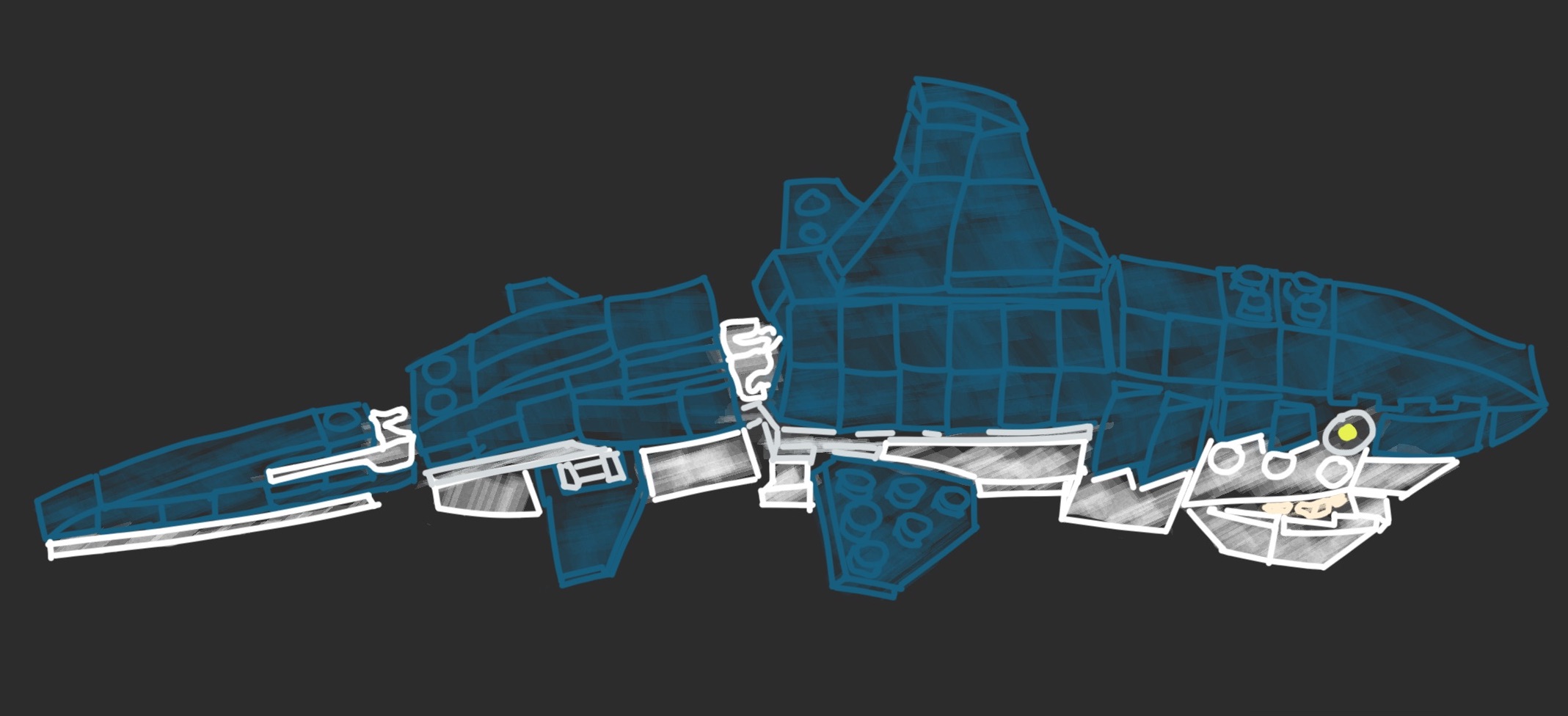
The tidyverse isn’t the only popular system that follows this philosophy—one other favorite is Legos. Legos are small, plastic bricks, with small studs on top and tubes for the studs to fit into on the bottom. The studs all have the same, standardized size and are all spaced the same distance apart. Therefore, the bricks can be joined together in any combination, since each brick uses the same input format (studs of the standard size and spaced at the standard distance fit into the tubes on the bottom of the brick) and the same output format (again, studs of the standard size and spaced at the standard distance at the top of the brick).
This is true if you want to build with bricks of different colors or different heights or different widths or depths. It even allows you to include bricks at certain spots that either don’t require input (for example, a solid sheet that serves as the base) or that don’t give output (for example, the round smooth bricks with painted “eyes” that are used to create different creatures). With Legos, even though each “tool” (brick) is very simple, the tools can be combined in infinite variations to create very complex structures.
Figure 2.1: When simple tools have a common interface that allows them to be combined in different ways, like Legos, they can be combined to create complex structures, like this Lego shark.
The tools in the “tidyverse” operate on a similar principle. They all input one of a few very straightforward data types, and they (almost) all output data in the same format they input it. For most of the tools, their required format for input and output is the “tidy data” format (Wickham 2014), called a tidy dataframe in R—this is a dataframe that follows the rules detailed earlier in this section.
Some of the tools require input and output of vectors instead of tidy dataframes (Wickham 2014); a vector in R is a one-dimensional string of values, all of which are of the same data type (e.g., all numbers, or all character strings, like names). In a tidy dataframe, each column is a vector, and the dataframe is essentially several vectors of the same length stuck together to make a table. Having functions that input and output vectors, then, means that you can use those functions to make changes to the columns in a tidy dataframe.
A few functions in the “tidyverse” input a tidy dataframe but output data in a
different format. For example, visualizations are created using a function
called ggplot, as well as its helper functions and extensions. This function
inputs data in a tidy dataframe but outputs it in a type of R object called a
“ggplot object.” This object encodes the plot the code created, so in this case
the fact that the output is in a different format from the endpoint is similar
to with the “eye” blocks in Legos, where it’s meant as a final output step, and
you don’t intend to do anything further in the code once you move into that
step.
This common input / output interface, and the use of small tools that follow this interface and can be combined in various ways, is what makes the tidyverse tools so powerful. However, there are other good things about the tidyverse that make it so popular. One is that it’s fairly easy to learn to use the tools, in comparison to learning how to write code for other R tools (D. Robinson 2017; R. Peng 2018). The developers who have created the tidyverse tools have taken a lot of effort to try to make sure that they have a clear and consistent user interface across tools (Wickham 2017; Bryan and Wickham 2017). So far, we’ve talked about the interface between functions, and how a common input / output interface means the functions can be chained together more easily. But there’s another interface that’s important for software tools: the rules for how a computer users employ that tool, or the user interface.
To help understand a user interface, and how having a consistent user interface across tools is useful, let’s think about a different example—cars. When you drive a car, you get the car to do what you want through the steering wheel, the gas pedal, the break pedal, and different knobs and buttons on the dashboard. When the car needs to give you feedback, it uses different gauges on the dashboard, like the speedometer, as well as warning lights and sounds. Collectively, these ways of interacting with your car make up the car’s user interface. In the same way, each function in a programming language has a collection of parameters you can set, which let you customize the way the function runs, as well as a way of providing you output once the function has finished running and the way to provide any messages or warnings about the function’s run. For functions, the software developer can usually choose design elements for the function’s user interface, including which parameters to include for the function, what to name those parameters, and how to provide feedback to the user through messages, warnings, and the final output.
If a collection of tools is similar in its user interfaces, it will make it easier for users to learn and use any of the tools in that collection once they’ve learned how to use one. For cars, this explains how the rental car business is able to succeed. Even though different car models are very different in many characteristics—their engines, their colors, their software—they are very consistent in their user interfaces. Once you’ve learned how to drive one car, when you get in a new car, the gas pedal, brake, and steering wheel are almost guaranteed to be in about the same place and to operate about the same way as in the car you learned to drive in. The exceptions are rare enough to be memorable—think how many movies have a laughline from a character trying to drive a car with the driver side on the right if they’re used to the left or vice versa.
The tidyverse tools are similarly designed so that they all have a very similar
user interface. For example, many of the tidyverse functions use a parameter
named “.data” to refer to the tidy dataframe to input into the function, and
this parameter is often the first listed for functions. Similarly, parameters
named “.vars” and “.funs” are repeatedly used over tidyverse functions, with the
same meaning in each case. What’s more, the tidyverse functions are typically given names
that very clearly describe the action that the function does, like filter,
summarize, mutate, and group. As a result, the final code is very clear
and can almost be “read” as a natural language, rather than code.
“Another part of what makes the Tidyverse effective is harder to see and, indeed, the goal is for it to become invisible: conventions. The Tidyverse philosophy is to rigorously (and ruthlessly) identify and obey common conventions. This applies to the objects passed from one function to another and to the user interface each function presents. Taken in isolation, each instance of this seems small and unimportant. But collectively, it creates a cohesive system: having learned one component you are more likely to be able to guess how another different component works.” (Bryan and Wickham 2017)
“The goal of [the tidy tools] principles is to provide a uniform interface so that tidyverse packages work together naturally, and once you’ve mastered one, you have a head start on mastering the others.” (wickhem2017tidy?)
As a result, the tidyverse collection of tools is pretty easy to learn, compared to other sets of functions in scripting languages, and pretty easy to expand your knowledge of once you know some of its functions. Several people who teach R programming now focus on first teaching the tidyverse, given these characteristics (D. Robinson 2017; R. Peng 2018), and it’s often a first focus for online courses and workshops on R programming. Since it’s main data structure is the “tidy data” structure, it’s often well worth recording data in this format so that all these tools can easily be used to explore and model the data.
“All our code is underpinned by the principles of tidy data, the grammar of data manipulation, and the tidyverse R packages developed by Wickham. This deliberate philosophy for thinking about data helped bridge our scientific questions with the data processing required to get there, and the readability and conciseness of tidyverse operations makes our data analysis read more as a story arc. Operations require less syntax—which can mean fewer potential errors that are easier to identify—and they can be chained together, minimizing intermediate steps and data objects that can cause clutter and confusion. The tidyverse tools for wrangling data have expedited our transformation as coders and made R less intimidating to learn.” (Lowndes et al. 2017)
2.3.3 Using tidyverse tools with data in the “tidy data” format
The tidyverse includes tools for many of the tasks you might need to do while managing and working with experimental data. When you download R, you get what’s called base R. This includes the main code that drives anything you do in R, as well as functions for doing many core tasks. However, the power of R is that, in addition to base R, you can also add onto R through what are called packages (sometimes also referred to as extensions or libraries). These are kind of like “booster packs” that add on new functions for R. They can be created and contributed by anyone, and many are collected through a few key repositories like CRAN and Bioconductor.
All the tidyverse tools are included in R extension packages, rather than base
R, so once you download R, you’ll need to download these packages as well to use
the tidyverse tools. The core tidyverse functions include functions to read in
data (the readr package for reading in plain text, delimited files, readxl
to read in data from Excel spreadsheets), clean or summarize the data (the
dplyr package, which includes functions to merge different datasets, make
new columns as functions of old ones, and summarize columns in the data, either
as a whole or by group), and reformat the data if needed to get it in a tidy
format (the tidyr package). The tidyverse also includes more precise tools,
including tools to parse dates and times (lubridate) and tools to work with
character strings, including using regular expressions as a powerful way to find
and use certain patterns in strings (stringr). Finally, the tidyverse
includes powerful functions for visualizing data, based around the ggplot2
package, which implements a “grammar of graphics” within R.
You can install and load any of these tidyverse packages one-by-one using the
install.packages and library functions with the package name from within R.
If you are planning on using many of the tidyverse packages, you can also
install and load many of the tidyverse functions by installing a package called
“tidyverse,” which serves as an umbrella for many of the tidyverse packages.
In addition to the original tools in the tidyverse, many people have developed
tidyverse extensions—R packages that build off the tools and principles in
the tidyverse. These often bring the tidyverse conventions into tools for
specific areas of science. For example, the tidytext package provides tools to
analyze large datasets of text, including books or collections of tweets, using
the tidy data format and tidyverse-style tools. Similar tidyverse extensions
exist for working with network data (tidygraph) or geospatial data (sf).
Extensions also exist for the visualization branch of the tidyverse
specifically. These include ggplot extensions that allow users to create
things like calendar plots (sugrrants), gene arrow maps (gggene), network
plots (igraph), phytogenetic trees (ggtree) and anatogram images
(gganatogram). These extensions all allow users to work with data that’s in a
“tidy data” format, and they all provide similar user interfaces, making it
easier to learn a large set of tools to do a range of data analysis and
visualization, compared to if the set of tools lacked this coherence.